
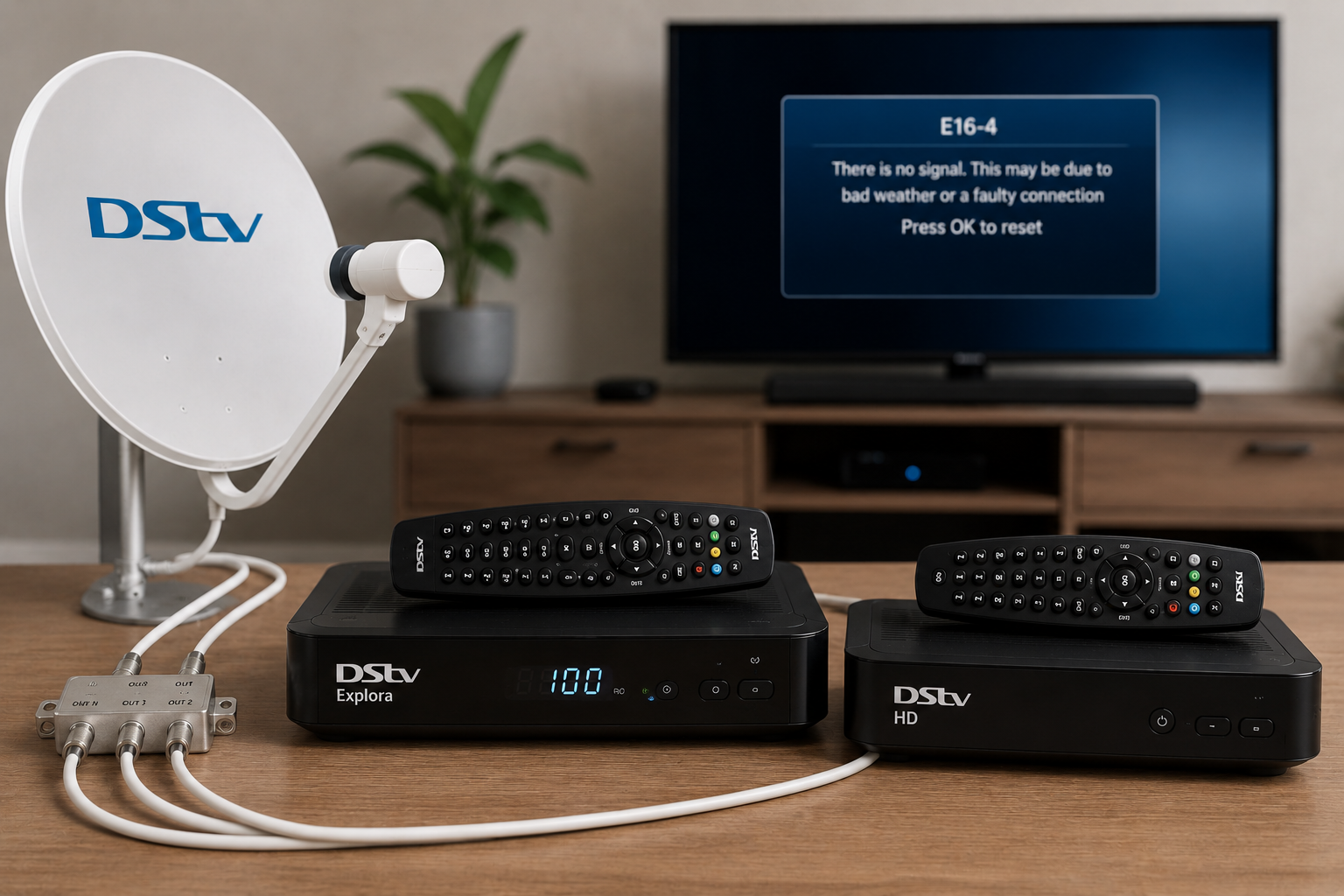
DStv Extra View is a fantastic way to enjoy different channels on multiple TVs without paying for separate DStv subscriptions. However, when something goes wrong, it can quickly become frustrating.
One decoder may be working perfectly while the other displays a blank screen. You might receive a heartbeat error, lose communication between decoders, or find that the second decoder suddenly stops showing channels.
The challenge is that Extra View systems are more complex than standard DStv installations. Multiple components need to communicate correctly for everything to work as intended.
The good news is that many Extra View problems can be traced back to a handful of common causes. Understanding these issues can help you determine whether a simple fix is possible or whether it is time to call a technician.
Get Your Extra View Working Again
Having problems with your Extra View setup? Fill in the form below and let a technician diagnose the issue quickly and professionally.
How Does DStv Extra View Work?
Before looking at common faults, it helps to understand how Extra View operates.
An Extra View setup allows multiple compatible decoders to work together under a single DStv subscription. Instead of each decoder functioning independently, they communicate with one another using a process known as heartbeat communication.
The primary decoder regularly sends a signal to the secondary decoder. This heartbeat confirms that the decoders are linked correctly and authorised to operate together.
If this communication is interrupted, problems begin to appear.
This is why Extra View issues are often different from standard DStv signal problems. Even when signal levels are good, communication between the decoders can still fail.
What Is a Heartbeat Error?
A heartbeat error is one of the most common Extra View problems.
The heartbeat is essentially a communication signal between decoders. When the secondary decoder stops receiving this signal, it can no longer verify that it is part of the Extra View setup.
As a result, channels may disappear, error messages may appear, or one decoder may stop working entirely.
Many people assume the decoder itself is faulty when they see a heartbeat error. In reality, the problem is often related to communication, cabling, or configuration.
Understanding this distinction is important because replacing a decoder may not solve the problem.
Incorrect Decoder Settings
One of the most common causes of Extra View problems is incorrect configuration.
Decoders must be set up correctly to communicate with each other. If settings are changed accidentally, after a software update, or during a decoder replacement, the connection can fail.
This often happens when a homeowner upgrades equipment without reconfiguring the Extra View setup properly.
The result may be heartbeat errors, missing channels, or communication failures between decoders.
Because these settings are not always visible to the average user, the issue can be difficult to diagnose without experience.
Damaged or Loose Cables
Cabling plays a major role in any Extra View installation.
Over time, cables can become loose, damaged, or exposed to weather conditions that affect performance.
A damaged cable may still allow one decoder to work while causing communication issues with another.
This is one reason why homeowners often become confused. The primary decoder appears normal, yet the secondary decoder experiences repeated problems.
Loose connectors can cause similar symptoms.
Even a small interruption in communication can trigger heartbeat errors and signal instability.
Problems With the LNB
The LNB is the component mounted on the front of the satellite dish.
Its job is to receive signals from the satellite and distribute them to the decoders.
If the LNB develops a fault, the effects can vary depending on the type of installation.
Some channels may disappear. Signal quality may drop. One decoder may function normally while another experiences ongoing issues.
Because LNB faults can mimic other problems, proper testing is often required before replacement.
Many homeowners spend time focusing on the decoder when the real issue is sitting on the dish outside.
Dish Alignment Problems
Extra View systems rely on a strong and stable satellite signal.
If the dish moves out of alignment, both signal quality and decoder communication can be affected.
This is particularly common after:
- Strong winds
- Heavy storms
- Physical impact to the dish
- Gradual movement over time
In areas where weather conditions can be unpredictable, even a slight shift in dish position may reduce signal strength enough to create ongoing problems.
Sometimes the signal is weak enough to affect the second decoder first, making it appear as though the issue is isolated to Extra View.
Need Help Troubleshooting Extra View?
Stop guessing and get an accurate diagnosis from a qualified DStv technician.
Power Interruptions and Electrical Issues
Many people overlook power-related problems.
Power surges, load shedding, unplugged power supplies, or faulty adaptors can all affect decoder communication.
If one decoder repeatedly loses power, the heartbeat connection may fail.
In some cases, everything appears normal after power is restored, but the Extra View settings may need to be refreshed or reconfigured.
This is especially common after prolonged power interruptions.
Why Does the Second Decoder Have No Picture?
A second decoder showing no picture is one of the most frequent Extra View complaints.
There are several possible causes.
The issue could be related to:
- Heartbeat communication failure
- Signal loss
- Incorrect decoder settings
- HDMI connection problems
- Faulty cabling
- LNB faults
- Dish alignment issues
Because several different faults can produce the same symptom, identifying the real cause is often the most challenging part.
This is why professional diagnosis is often faster and more cost-effective than trial-and-error troubleshooting.
Can You Fix Extra View Problems Yourself?
In some situations, yes.
There are a few basic checks worth performing before calling a technician.
Start by checking all cable connections. Ensure connectors are secure and not damaged.
Restart both decoders completely. Allow them to reboot and re-establish communication.
Check whether both decoders are receiving signal.
Inspect visible cabling for signs of wear or damage.
If you recently changed equipment or settings, verify that the Extra View configuration has not been altered.
These simple checks can sometimes resolve minor issues.
However, if the problem persists, further troubleshooting usually requires specialised testing equipment.
Common Mistakes Homeowners Make
One of the biggest mistakes is assuming the decoder itself is faulty.
Many Extra View issues are actually caused by communication failures, signal problems, or damaged components elsewhere in the system.
Another common mistake is replacing equipment before identifying the real cause.
A homeowner may purchase a new decoder only to discover that the original problem was a damaged cable or faulty LNB.
Some people also attempt to adjust the satellite dish themselves.
Without the correct equipment, this often makes the situation worse and can result in complete signal loss.
Proper diagnosis should always come before replacing parts or making major adjustments.
When Should You Call a Technician?
There comes a point where DIY troubleshooting is no longer practical.
You should consider calling a technician if:
- Heartbeat errors keep returning
- The second decoder has no picture
- Channels keep disappearing
- Signal problems affect multiple TVs
- You have checked cables and settings without success
- The system recently stopped working after a storm or power outage
A technician can test the signal, inspect the dish, evaluate the LNB, verify decoder settings, and identify faults that are not visible during basic troubleshooting.
This often saves time, money, and frustration.
Why Professional Diagnosis Matters
Extra View systems involve multiple components working together.
When one part fails, the symptoms can appear elsewhere in the setup.
What looks like a decoder fault may actually be a signal problem. What appears to be a heartbeat error may be caused by damaged cabling.
A professional diagnosis removes the guesswork.
Instead of replacing parts unnecessarily or spending hours troubleshooting, you get a clear understanding of the problem and the correct solution.
Get Expert Help With Your Extra View Setup
Avoid unnecessary frustration and let a professional identify the exact cause of the problem.